The instructor portal.
The instructor portal lets you open your own hours, see every booking and flight you have flown, and complete flights in the portal.
Instructor portal
Your bookings this week
- Monday 09:00, trial lesson Confirmed
- Monday 11:00, dual lesson Confirmed
- Thursday 12:30, checkout flight Confirmed
- Thursday 16:00, trial lesson Confirmed
Set your own availability.
Open the hours you want to work from your own portal, on any device. Students can only book you inside them, and the diary checks every booking against the aircraft and your other bookings before it is confirmed.
- Set and change your own availability
- A hold for illness takes you off the diary
- Double bookings blocked before they reach you
Your week
Availability you have opened
- Monday 08:00 to 13:00 Open
- Tuesday Hold: illness
- Thursday 12:00 to 18:00 Open
- Friday Not teaching
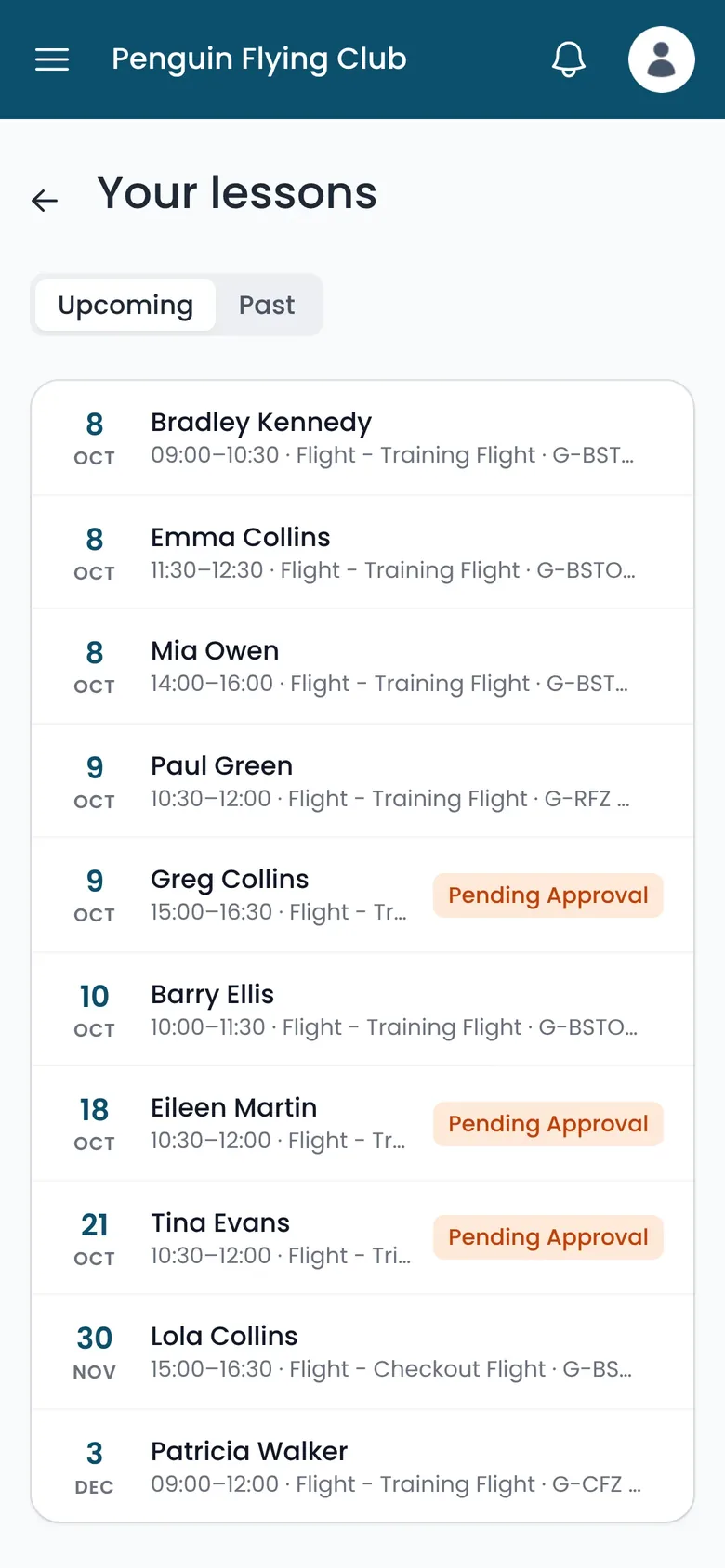
Bookings, flight history and a calendar feed.
Your bookings and your flight history sit in the portal. Subscribe to the iCal feed and the same bookings appear in Google, Apple or Outlook next to everything else, including the days you teach at another school.
- Upcoming bookings with the student and aircraft
- Flight history for every flight you have instructed
- iCal feed for Google, Apple and Outlook calendars
Completing a flight charges the student.
When you mark a flight complete, Volanti prices it at the school's rates and adds the charge to the student's account. The office sees the charge straight away.
- Priced from the booking, against the right student
- The student sees it on their balance and statement
- The flight joins your history straight away
Dual lesson, Thursday 14:00
Instructor and aircraft booked together
- Booked Done
- Checked in Done
- Completed by you Charged
Standby digests and courses.
Standby digests
When students look for a slot and nobody is free, Volanti records it. A standby digest emails that demand to instructors, so you can open availability and take the flying.
Students matched to you through courses
Set a course's instructors and only students on that course can book them.
Your students and their progress.
We are building a view of your students and their progress into the instructor portal, alongside competency-based training records. Records will be completed digitally after each flight, and you will see where each student is before they arrive.
Help shape itWhat your instructors get.
Instructors set their own hours, get their bookings in their own calendar and complete flights in the portal.
What instructors get
- Set their own availability
- Their bookings and flight history
- iCal feed into their own calendar
- Holds for illness
- Flights charged when they complete them
- Standby digests from unmet demand
- Students matched to them through courses
- Their students and progress Coming soon
- Training records Coming soon