Flights, payments and balances in one ledger.
Every flight is priced and charged when it lands, and every payment is recorded against the member who made it.
From landing to statement.
-
Step 1: The flight is completed
It is priced at your rates and charged to the member's account straight away.
-
Step 2: The member pays
Cash, transfer or card machine, recorded against their account with a receipt.
-
Step 3: The balance moves
Charges and payments net off on the member's account as they happen.
-
Step 4: The month closes
Each member gets a monthly statement, with a PDF to download.
Every flight is charged the moment it lands.
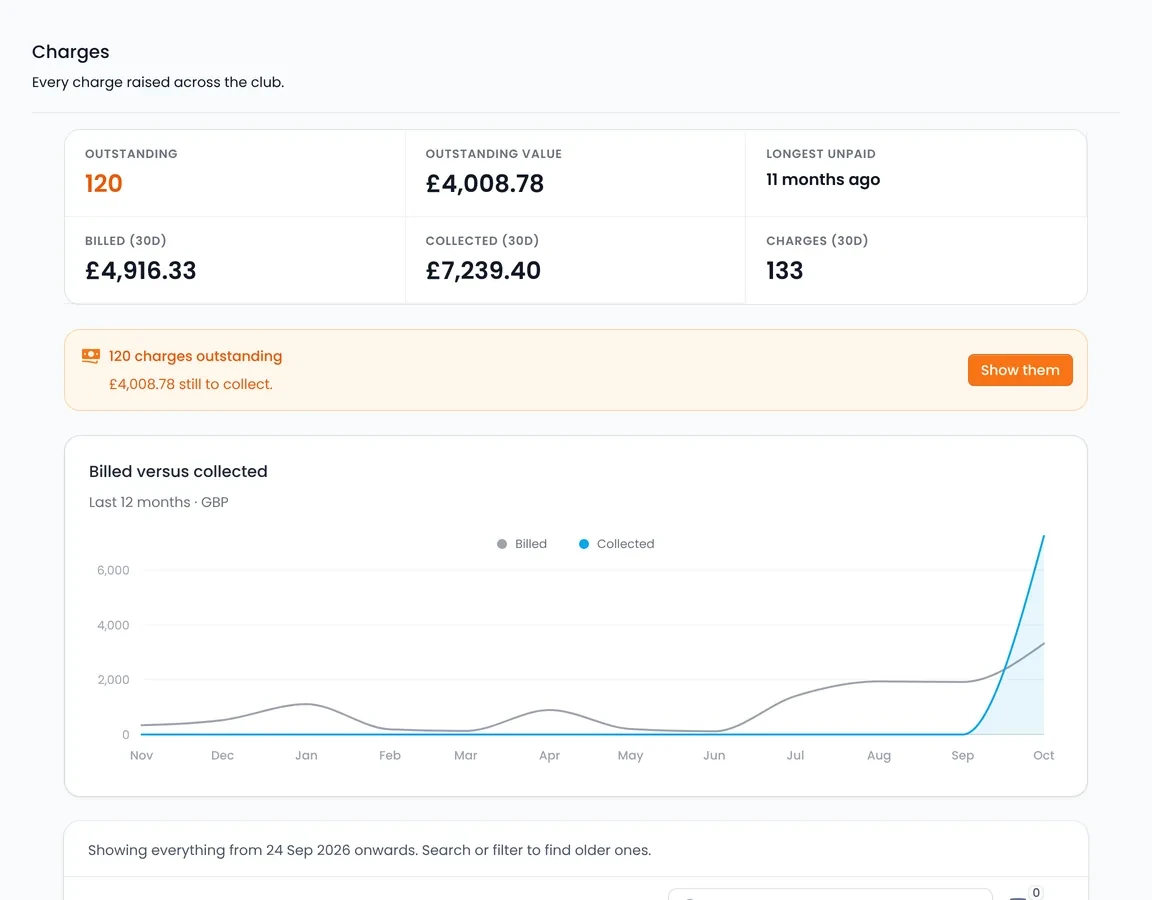
When a flight is completed, Volanti prices it and puts the charge on the member's account. Payments you take yourself are recorded against the same account, so the balance includes both.
- Every completed flight priced at your rates and charged
- Cash, bank transfer and card machine payments recorded, each with a receipt
- A running balance on every member's account
- Monthly statements generated for you, with a PDF download
One member's account
Charges and payments as they happen
- Flight completed, 1.2 hours Charged
- Bank transfer Receipt issued
- Running balance Updated
A monthly statement with a PDF download.
Chasing, payment links and settlement.
An overdue balance is chased automatically, with a link the member can pay from. Card money settles into the club's own bank account on a payout schedule you set.
- Automatic chasing of overdue balances
- Payment links, and members settle their balance online
- Card payments online and in the pilot portal
- Settlement to the club's own bank, on your payout schedule
An overdue balance
One member's account
- Balance overdue Chased automatically
- Payment link Sent to the member
- Paid by card Receipt issued
Card payments settle to the club's bank on your payout schedule.
Xero, the dashboard and exports.
Xero sync
Two-way sync with Xero for invoices and payments.
The Clubhouse dashboard
Active members, new against churned, renewals approaching, revenue for the last 30 days and trends over 12 months, on one screen.
Reports and CSV exports
More than 13 one-click exports, including payments, charges, flights, memberships, credits and prepayment accounts, alongside the built-in reports.
Roles, permissions and audit trail.
Roles and permissions let you give the treasurer access to payments, balances and reports without the ability to move bookings.
- Custom staff roles with fine-grained permissions
- An audit trail recording who changed what, and when
- The charge history on every member's account
Treasurer
What this role can do
- Payments and balances Allowed
- Reports and exports Allowed
- Statements Allowed
- Move bookings Not allowed